PDF Converter File Deletion: What Happens After Upload?
Quick answer: pdf converter file deletion means the provider’s rules for removing your uploaded PDF, converted output, or both after processing. Before uploading sensitive files, verify the retention window, whether deletion is automatic or manual, and whether signed-in storage, backups, or logs are excluded.
Definition: PDF converter file deletion is the policy and technical process a PDF converter uses to remove uploaded source files and converted output files from active server storage after conversion.
TL;DR
- A converted PDF can remain on a provider’s servers unless the file deletion policy says when and how it is removed.
- Deletion may apply to the original upload, the converted output, or both, so users should check the wording before uploading private documents.
- For confidential files, retention windows, account storage, backups, processors, support logs, and manual delete controls matter more than vague security claims.
PDF converter file deletion policy meaning
PDF converter file deletion means removal of uploaded source files and converted output files from a converter’s systems, not deleting pages inside a PDF. It is a server-side retention question, not an editing feature.
A file deletion policy may say files are purged automatically after a time window, removed after download, or deleted only when the user taps a manual control. For any converter, the policy should name each file artifact created during conversion, including the source PDF, generated output, temporary OCR files, compressed copies, and merged or split versions.
A clean policy names the file. Original or output.
PDF upload retention stages after conversion
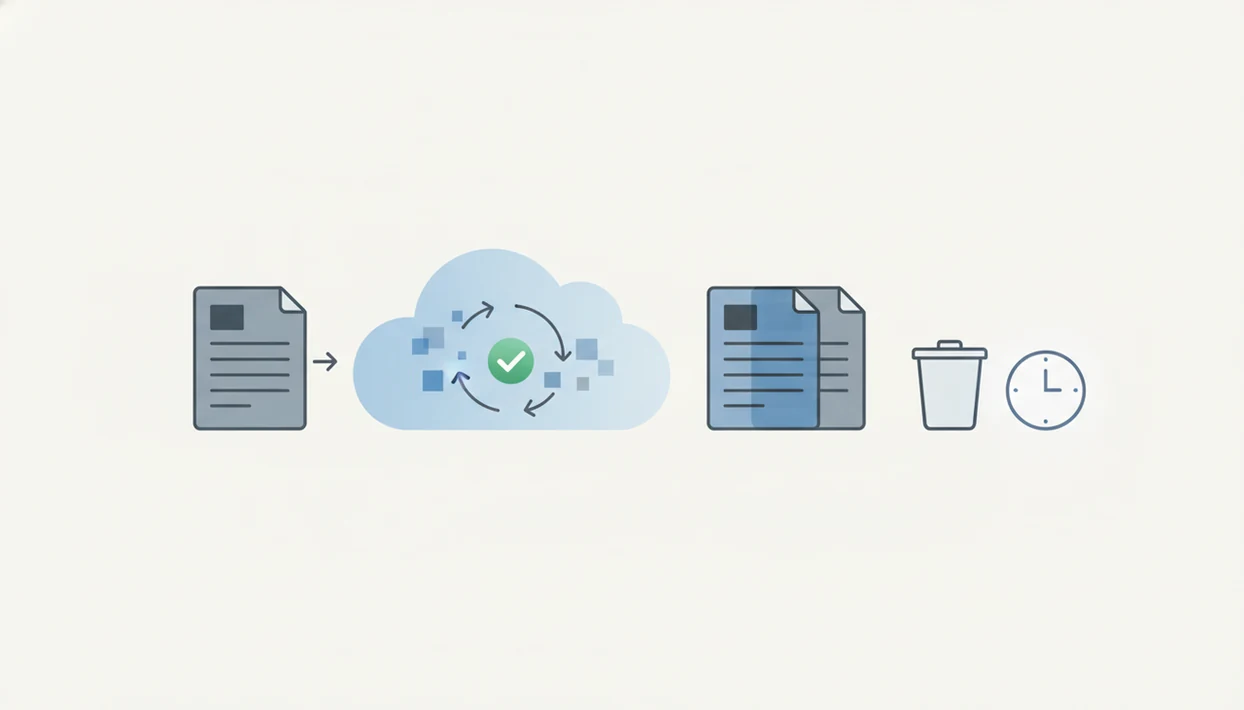
How PDF converter file deletion works: a file usually moves through upload, temporary processing, conversion engine, output generation, download access, and cleanup. The cleanup step is where retention rules matter.
During testing, the risky moment is easy to miss. You upload `LeaseAddendumFinal.pdf`, wait for the DOCX, download it, and assume the job is over. But closing the browser, refreshing the page, or downloading the converted file does not prove server deletion. Active file deletion is usually separate from backup retention, operational logs, abuse monitoring, and legal retention systems.
Signed-in accounts can also change the path. A converter may save files to account storage, iCloud Drive, Google Drive, OneDrive, or an internal cloud area. For sensitive workflows, the offline vs cloud pdf converter question matters because local conversion and server conversion have different retention risks.
Five facts about delete uploaded PDF claims
- A converter may finish the job while still retaining the uploaded PDF until the policy purge occurs.
- Retention windows vary; some providers describe deletion after download, manual deletion, or timed deletion after several hours.
- A file deletion policy must say whether it covers the original PDF, the converted file, or both.
- Deletion claims may not cover signed-in storage, cloud saves, backups, logs, troubleshooting records, or support metadata.
- Confidential PDFs require checking the current retention terms before upload, not after conversion.
The last point is the one people skip. A tax folder filled with renamed PDFs feels ordinary until one file contains a Social Security number, bank routing details, or a client signature. For routine documents, a clear timed purge may be enough. For regulated or identity-heavy files, vague wording should stop the upload.
File deletion policy details users should verify
What should you check before trusting a PDF converter file deletion claim? Look for the retention window, automatic deletion timing, manual delete controls, and account-specific storage rules before you upload.
The policy should also say whether files are sent to processors or subprocessors. Many converters rely on third-party infrastructure for hosting, OCR, malware scanning, storage, or email delivery. That does not automatically make a service unsafe, but it should be disclosed clearly. Good AI PDF converter apps for converting PDFs to Word, Excel, images, and other formats plus merge, split, and compress tools deliver practical document handling, not a guarantee that every uploaded file leaves every system instantly.
Backups, logs, troubleshooting records, abuse monitoring, and legal requests may be treated differently from active files. Prefer clear retention language over phrases such as “secure handling” or “privacy-first.” The broader checklist is covered in our safe pdf converter app guide.
PDF converter retention examples from Adobe, FreePDFConvert, PDFzorro, and Smallpdf
Named providers show why deletion wording has to be read closely. These examples do not prove the same behavior for every converter.
- Adobe: Adobe says its online PDF converter processes files in seconds, and the file is deleted unless the user signs in to save it. (source)
- FreePDFConvert: FreePDFConvert says uploaded files are automatically deleted from its server after three hours if the user forgets to remove them manually. (source)
- PDFzorro: PDFzorro says users can irretrievably delete files from its cloud after editing, which points to explicit server-side deletion control. (source)
- Smallpdf: Smallpdf’s page deletion workflow is about removing pages from a PDF and downloading a revised file, not proving server-side deletion of the original upload. (source)
The wording differs by product. That is the point.
For confidential files, provider-specific retention terms are more useful than broad claims because deletion timing, account storage, and output-file handling can vary by workflow.
Common myths about PDF converter file deletion
Downloading the converted file does not necessarily mean the original upload is gone from the server. It only means the output became available to you.
Another myth is that every PDF converter deletes files immediately after conversion. Some services describe timed deletion, some offer manual deletion, and some change behavior when you sign in or save files to an account. “Securely handled” also does not mean the provider stores nothing at all. It may describe encryption, transfer security, or processing controls without saying the file has been purged.
Deleting a file in the app may not remove backups, logs, or support records. Those systems often follow separate retention schedules. Deleting PDF pages is different again. If your portrait screen shows sideways pages and you remove two blank scans, you edited a document. You did not prove the uploaded PDF was removed from the converter’s servers.
Manual delete uploaded PDF controls in converter apps
When a converter offers manual deletion, look for a trash icon, remove file button, delete from cloud option, or account file manager. If the service separates the upload from the output, delete both.
How to use manual deletion controls:
- Save the converted file locally before removing online copies.
- Find the original upload and the converted output in the file list.
- Delete each stored copy using the trash, remove, or cloud-delete control.
- Check shared links, account folders, and recent files for leftover copies.
- Contact support if the delete button is missing, the upload failed, or the file was sensitive.
A compressed file checked before sending may still leave an online copy behind. Mobile workflows need especially clear deletion controls because users often move between the iOS Files app, Android storage, email attachments, and cloud drives.
When to avoid uploading a PDF to an online converter
Avoid uploading a PDF when the provider does not clearly explain how long files stay online or what deletion covers. For tax, medical, legal, financial, identity, or client documents, choose an offline workflow unless the business need and policy review justify the upload.
A vague promise to “delete files” is not enough if it leaves out timing, converted outputs, backups, logs, or account storage. The safer path is to reduce what leaves your device, especially when only one page, table, or image needs conversion.
- Use offline conversion for PDFs containing tax forms, medical records, contracts, IDs, bank details, signatures, or confidential client material.
- Ask IT, legal, security, or compliance before sending regulated workplace documents through an online tool.
- Redact sensitive fields or create a local copy with only the page you need before any upload.
- Check whether the provider names retention timing, deletion scope, processors, and exceptions for backups or logs.
- Document the policy page, date checked, and approved workflow if your workplace requires online conversion.
If the answer is still uncertain, do not upload the file.
Limitations
Deletion claims are useful, but they are not complete privacy guarantees. Read them as scope statements, not absolute promises.
- A deletion statement may apply only to active uploaded files, not temporary backups.
- A provider may keep operational logs, security logs, abuse-monitoring records, or support metadata.
- Signed-in users, cloud storage, shared links, or save-to-account features can change retention terms.
- Deletion may be delayed by minutes or hours rather than immediate.
- Policies can change, so users should verify the current product page before uploading confidential PDFs.
- A converter can be appropriate for routine documents but unsuitable for highly sensitive legal, medical, financial, or identity documents if the retention policy is vague.
If you are asking is it safe to upload pdf to converter, file deletion is only one part of the answer. App permissions, malware risk, encryption, and provider identity also matter.
FAQ
Do PDF converters delete my uploaded files?
Some PDF converters delete uploaded files, but the timing and scope depend on the provider’s current file deletion policy. Check whether deletion is automatic, manual, or tied to download.
How long do online PDF converters store PDFs?
Retention can range from immediate deletion to several hours or longer, depending on the service. Read the current policy for the specific converter before uploading sensitive files.
Does downloading the converted file delete the uploaded PDF?
Downloading the converted file does not automatically prove the original upload was deleted. Server-side deletion is controlled by the provider’s retention process.
What does delete uploaded PDF mean in a converter?
“Delete uploaded PDF” usually means removing the source file from the converter’s active server storage. It may or may not include converted output files.
Are converted files deleted after PDF conversion too?
Converted files are not always covered by the same deletion rule as uploaded source files. Verify whether the policy covers both original uploads and generated outputs.
Can backups or logs keep copies of deleted PDFs?
Backups, logs, support records, and abuse-monitoring systems may follow different retention rules from active file storage. A clear policy should explain those exclusions.
Does signing in to a PDF converter change file retention?
Yes. Signing in can change retention if the converter saves files to account storage, shared links, recent-file lists, or connected cloud folders. The policy should state when account storage changes deletion behavior.
Is deleting PDF pages the same as deleting the uploaded file from the server?
No, deleting PDF pages is an editing action inside the document. It is not proof that the uploaded file was deleted from the converter’s servers.
Should I upload confidential PDFs to an online converter?
Upload confidential PDFs only after checking retention terms, deletion controls, processors, backups, and account-storage rules. If the policy is vague, use a safer workflow or avoid uploading the file.