Fake PDF Converter Malware Warnings And Red Flags
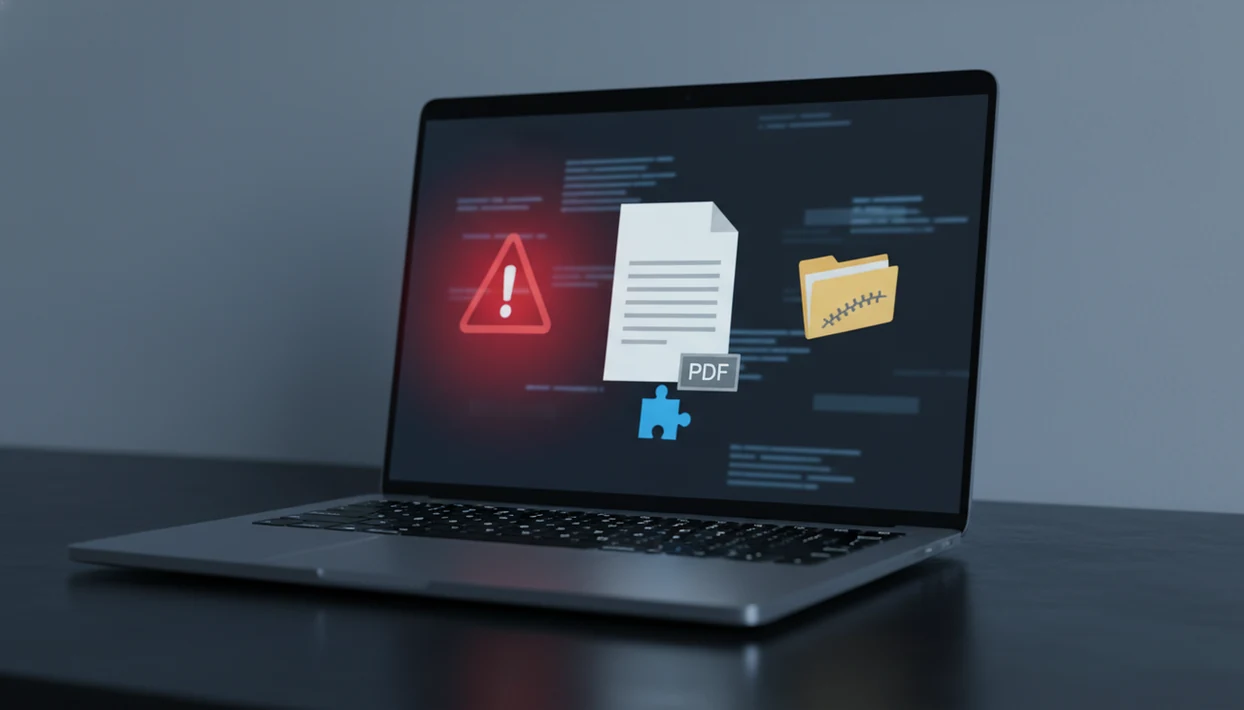
Fake pdf converter malware is a file converter scam where a site or app pretends to convert PDFs but instead pushes malicious downloads, copied commands, spyware, or credential theft. Treat any converter that asks for PowerShell commands, extra installers, browser extensions, or unusual permissions as unsafe until verified.
Definition: Fake PDF converter malware is a malicious website, app, or download flow that imitates a PDF conversion tool while attempting to steal data, install malware, or trick users into unsafe actions.
TL;DR
- A real PDF converter should not need command-line code, system changes, or multiple mystery downloads to convert a document.
- The biggest red flags are lookalike URLs, fake CAPTCHA prompts, ZIP files, browser extensions, copied commands, and urgent claims that a file cannot convert without extra software.
- Use known apps directly, check the exact domain or app listing, scan downloads, and avoid uploading sensitive files to unverified converters.
Fake PDF Converter Malware At A Glance
Fake PDF converter malware is a malicious converter, file converter scam, or pdf converter virus disguised as a normal document tool. The safest default is simple: leave if conversion suddenly requires commands, installers, extensions, or permissions that don't match the task.
A polished landing page does not prove safety. Neither does “AI” wording, a clean upload box, or a CAPTCHA screen. We have seen suspicious flows that look like a normal PDF-to-Word page until the final button changes into a downloaded ZIP or copied command.
Not normal.
A legitimate PDF converter should handle ordinary exports without asking you to modify your system, paste commands, install unrelated software, or grant permissions unrelated to document conversion.
Five Fake PDF Converter Malware Facts Users Should Know
- Lookalike sites copy trusted brands. Malicious pdf converter pages often reuse similar logos, layouts, colors, and tiny URL changes, such as an added dash or odd domain ending.
- Fake CAPTCHA screens can be traps. Some prompts ask users to paste commands, approve notifications, or complete actions that have nothing to do with proving they are human.
- The risk can go beyond the uploaded PDF. Info-stealers may target browser passwords, cookies, crypto wallets, financial data, and session tokens after one unsafe action.
- EXE files are not the only danger. ZIP archives, scripts, fake documents, bundled installers, and pasted commands can all carry malware.
- Basic conversion should not need PowerShell. Reputable PDF tools should not require command-line instructions or extra browser extensions to convert, merge, split, or compress a file.
A trustworthy PDF converter should keep conversion, merge, split, compress, and OCR workflows inside the app or browser, with no system-level instructions.
Malicious PDF Converter Infection Chains
A malicious PDF converter infection chain usually starts with a search result or ad, moves to a lookalike site, presents an upload or convert button, then ends with a fake error, fake CAPTCHA, download, or command prompt.
This is how fake converter attacks work: attackers exploit a low-stress task. Converting `LeaseAddendumFinal.pdf` feels routine, so a user may ignore a strange “verification” step when an upload spinner sits beside a deadline. That trust gap is the opening.
Web and email delivery remain common malware paths. A Palo Alto Networks Unit 42 report found that 94% of observed malware was delivered through the web or email, which fits fake converter lures: https://unit42.paloaltonetworks.com/2024-incident-response-report/. After one unsafe action, an info-stealer can collect browser passwords, session cookies, wallet files, device details, and account tokens.
For document tasks, unexpected system instructions are often a stronger warning than bad design because many scam pages now look professionally built.
Fake PDF Converter Malware Red Flags Table
If a simple PDF conversion requires system-level action, do not continue. A malicious pdf converter, file converter scam, or pdf converter virus often reveals itself through behavior, not appearance.
| Red flag | Why it matters | Safer action |
|---|---|---|
| PowerShell or Terminal command | Basic PDF conversion should not need code | Close the page |
| Extra installer | Bundled software may hide malware | Use a known provider directly |
| Browser extension | Extensions can access pages and data | Avoid unless from a trusted publisher |
| ZIP download | Malware can hide inside archives | Scan before opening |
| Lookalike URL | Small spelling changes can impersonate brands | Type the domain yourself |
| Fake CAPTCHA | It may trick you into approving unsafe steps | Do not paste commands |
| Too many ads or popups | Scam pages often push confusion | Leave the site |
| Sensitive document request | IDs, tax forms, and contracts raise privacy risk | Use a verified tool |
| No clear publisher | Accountability is unclear | Check app store or company details |
| Urgent security warning | Pressure reduces careful checking | Pause and verify |
The full free pdf converter security checklist is useful when a free tool looks legitimate but behaves oddly.
Malicious PDF Converter Myths That Put Files At Risk
Myth 1: A professional design or CAPTCHA means the converter is legitimate. Scam pages can look clean, load quickly, and still push unsafe downloads or copied commands.
Myth 2: Avoiding EXE files is enough. ZIP files, scripts, fake converted documents, and browser extensions can also carry malware.
Myth 3: One harmless PDF cannot expose accounts. The uploaded file may be less important than the malware installed after the “conversion” step.
Myth 4: Every AI PDF converter is risky. AI branding is not the problem. Risk comes from unverified, lookalike, or behaviorally suspicious tools, not reputable apps that avoid dangerous workflows.
Known providers such as Adobe Acrobat, Microsoft 365, Apple Preview, Google Drive, and established mobile PDF apps should be judged by publisher identity, permissions, download source, and whether the workflow stays inside normal document conversion.
File Converter Scam Damage Beyond One PDF
A pdf converter virus may become an entry point for account takeover, financial theft, business compromise, or ransomware. That does not mean every suspicious converter leads to the worst outcome, but the first click can matter.
The FBI IC3 reported 2,825 ransomware complaints in 2023 with more than $59.6 million in adjusted losses. FBI IC3 2023 Internet Crime Report: https://www.ic3.gov/AnnualReport/Reports/2023_IC3Report.pdf. The same 2023 report recorded more than 880,000 cybercrime complaints and losses above $12.5 billion. Verizon’s 2024 Data Breach Investigations Report also found that 70% of breaches involve a human element, including social engineering and user interaction. Verizon 2024 DBIR: https://www.verizon.com/business/resources/reports/dbir/.
That is why the small details count. A counteroffer PDF sent from a driveway should not require an unknown installer before it can be compressed. For business files, a verified pdf converter app for business workflow is often safer than improvising with a search ad under time pressure.
Safer PDF Converter App Checks Before You Upload
How do you check a PDF converter before uploading a file? Go directly to the known provider, inspect the exact URL or app listing, and stop if the tool asks for system changes that do not fit PDF conversion.
- Open the provider directly. Type the domain or use the official app store listing instead of clicking a random ad.
- Check the publisher. Review the developer name, permissions, reviews, download source, and recent update history.
- Inspect the file behavior. A practical mobile PDF converter should handle conversion, merge, split, compression, and OCR without command-line steps.
- Scan downloads. Use up-to-date security software before opening ZIPs, installers, or converted files from unfamiliar sources.
- Protect sensitive files. Avoid uploading tax forms, IDs, contracts, medical records, or financial documents to an unverified converter.
For upload privacy decisions, the guide on is it safe to upload pdf to converter gives a closer look at file sensitivity and provider trust.
What To Do If You Already Used A Fake PDF Converter
If you already used a fake PDF converter, stop interacting with anything it gave you and contain the risk first. The goal is to avoid triggering a payload, check the device, and protect accounts from a clean place.
- Leave downloaded files unopened. Do not open converted documents, ZIP archives, scripts, installers, or “fixed” PDFs from the suspicious site, even if the filename looks familiar.
- Disconnect the device if it acts strangely. Turn off Wi-Fi, unplug Ethernet, or use airplane mode if you see popups, new apps, browser redirects, unexpected login prompts, or high activity after the download.
- Run updated security checks. Use current antivirus software or built-in tools such as Windows Security, macOS security features, or your organization’s approved scanner before trusting the device again.
- Change passwords from a clean device. Start with email, banking, cloud storage, password managers, and work accounts because those accounts can unlock many others.
- Contact qualified help when credentials or money are involved. Tell your IT team, bank, card issuer, or a security professional if you entered passwords, uploaded sensitive files, approved a command, or noticed account alerts.
Limitations
Security checks reduce risk, but they cannot make every converter safe. The practical goal is verification and least-risk behavior, not panic.
- No legitimate PDF converter app can control every lookalike site a user may find in search results.
- Antivirus and browser protections reduce risk, but they may miss new, obfuscated, or fast-changing campaigns.
- A clean-looking site, app listing, or advertisement is not proof of safety.
- Security scans can produce false negatives and false positives.
- Some users must use online converters for work, especially when a customer portal rejects oversized uploads.
- File deletion claims, retention windows, and cloud processing details still need separate review; pdf converter file deletion explains that part.
- This article is not malware removal advice for an already infected device. Contact a security professional or follow official recovery guidance from your operating system provider.
FAQ
What is fake PDF converter malware?
Fake PDF converter malware is a malicious site, app, or download that impersonates a PDF converter to steal data, install malware, or trick users into unsafe actions.
Can PDF converters give viruses?
Legitimate converters should not infect a device. Malicious sites, downloads, scripts, pasted commands, or browser extensions can deliver malware.
Are online PDF converters safe?
Online PDF converter safety depends on provider reputation, exact URL, permissions, file sensitivity, and download behavior. Avoid tools that require extra installers or commands.
Why do fake converters use CAPTCHA?
Fake CAPTCHA screens can make a scam look trustworthy. Some also trick users into copying commands or approving unsafe browser actions.
Is PowerShell needed for PDF conversion?
Ordinary PDF conversion should not require PowerShell, Terminal, or command-line code. Treat that request as a major warning sign.
Can a ZIP file contain malware?
Yes. Malware can be hidden in ZIP archives, scripts, fake documents, or bundled installers.
How do I spot a fake converter?
Common warning signs include typo domains, extra downloads, urgent prompts, browser extensions, copied commands, unclear publishers, and fake security messages.
Should I upload sensitive PDFs online?
Do not upload sensitive PDFs to any converter you cannot verify and trust. This includes IDs, tax forms, contracts, medical records, and financial documents.
What if I downloaded a fake converter?
Do not open the file. Disconnect if needed, scan the device, change passwords from a clean device, and seek qualified security help.
Are AI PDF converters malware?
AI PDF converters are not malware by default. The risk comes from unverified tools that request suspicious actions, unusual permissions, or unsafe downloads.