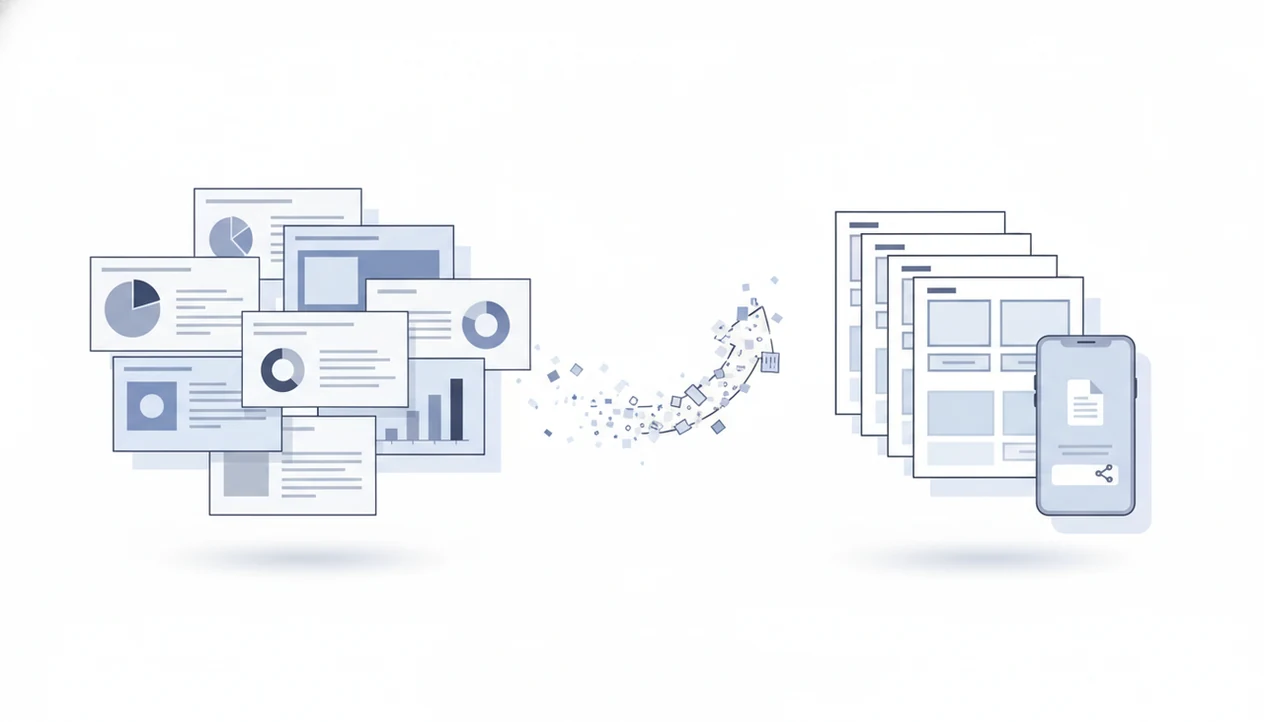
> A PowerPoint to PDF converter app is a mobile or web tool that transforms PPT or PPTX presentation files into universally readable PDF documents, preserving slide formatting for reliable sharing and viewing across devices.
- Converts PPT and PPTX files into layout-stable PDFs on your phone
- Preserves fonts, images, and slide structure for consistent viewing anywhere
- Fits mobile workflows: one-tap sharing, email, upload to LMS or client portals
Why Convert Slides to PDF for Deck Sharing
Converting slides to PDF makes a presentation easier to send, print, upload, and open without depending on PowerPoint. PDF became an ISO-standardized format in 2008 as ISO 32000-1 (ISO PDF standards overview), which helped make it a stable cross-platform document format.
The practical gain is layout control. A deck that looks fine on your laptop can shift when a client opens it on a phone, a classroom projector, or a tablet without the same fonts installed. PDF output locks each slide into a fixed page, so the recipient sees the intended order, spacing, and images.
Client delivery gets less fragile.
Students use presentation to PDF conversion when a class portal accepts only PDF uploads. Small teams use it before printing handouts or sending a deck from a phone between meetings. PDF Converter AI App fits that mobile handoff because the output is ready to attach, save, or upload without asking the recipient to install PowerPoint.
What a PowerPoint to PDF Converter App Does
A PowerPoint to PDF converter app turns a PPT or PPTX deck into a fixed PDF document that is easier to view, send, print, and upload. It is built for reliable sharing, not for keeping the presentation as a live slideshow.
In practice, the app imports a deck from local phone storage, email attachments, or cloud folders such as iCloud Drive, Google Drive, or OneDrive. It then renders each slide as its own PDF page, keeping the slide order, images, spacing, and readable text as close to the original as the file allows. Once the PDF is created, you can save it, share it, compress it, merge it with other documents, or upload it to a portal.
- Choose the PPT or PPTX file from your device or cloud storage.
- Convert the slides into fixed PDF pages.
- Preview the output to confirm page order and layout.
- Save, share, compress, merge, or upload the finished PDF.
What it does not do is preserve the moving parts of a presentation. Animations, transitions, embedded video playback, and speaker timing usually become static or disappear because the PDF is meant to be a document, not a slideshow.
How PowerPoint to PDF Conversion Works
PowerPoint to PDF conversion works by reading the presentation structure, rendering each slide, and writing those rendered pages into a fixed-layout PDF file. In a PPTX file, the converter parses XML data for text boxes, images, vector shapes, theme colors, slide dimensions, and font references.
A rendering engine then turns each slide into a static PDF page. If a font can be embedded, the output usually stays closer to the original. If the font is unavailable or unlicensed, the converter may substitute another font, which can move line breaks or change spacing.
Animations do not survive as animations. Embedded video, slide transitions, and live motion effects are stripped because PDF is a static document format, not a slideshow runtime. The ISO 32000-2 PDF 2.0 specification, published in 2017 (ISO 32000-2:2017), is the newer formal PDF standard used for modern document output.
Good AI PDF converter app workflows deliver stable files for viewing, sharing, and follow-up PDF tasks, not a full replacement for editing the original PowerPoint deck.
How to Use a PPTX to PDF App on Your Phone
Use a PPTX to PDF app by importing the deck, confirming output settings, and saving the converted PDF where you need it. The exact labels vary, but the mobile workflow is usually the same.
- Open PDF Converter AI App and tap the convert or import button.
- Select the PPT or PPTX file from the iOS Files app, Google Drive, OneDrive, iCloud Drive, cloud storage, or an email attachment.
- Confirm conversion settings such as page size, output quality, and file destination.
- Tap Convert and wait for processing to finish.
- Share or save the resulting PDF through email, messaging, a class portal, or cloud upload.
On a portrait screen, sideways slides are easy to miss, so preview the first and last page before sending. For mobile users, a native pptx to pdf app is often easier than a browser converter because file picking, saving, and sharing happen in the same phone workflow.
When to Use a Presentation to PDF Converter
Use a presentation to PDF converter when the deck needs to be viewed consistently, not edited slide by slide. These are the common cases we see in mobile document workflows:
- Emailing a client deck as PDF avoids asking the recipient to install PowerPoint or troubleshoot missing fonts.
- Uploading slides to an LMS or class portal works better when the portal accepts only PDF submissions.
- Printing handouts from a PDF gives more predictable page order, margins, and slide sizing.
- Archiving a finalized presentation as PDF preserves the approved version for records.
- Sharing through messaging apps is simpler when the file opens as a standard document preview.
A counteroffer PDF sent from a driveway is not the time to discover the deck still depends on a desktop app. When the issue is quick client handoff, PDF Converter AI App fits because the converted PDF can move straight into share, merge, split, or compress actions.
What Slide-to-PDF Conversion Looks Like in PDF Converter AI App
The app puts slide conversion near the front of the mobile workflow, not behind a desktop-style file menu. From the home screen, you can start a one-tap conversion, choose a PPT or PPTX file, and generate a PDF ready for immediate sharing.
The useful part comes after conversion. A deck can become a PDF, then be merged with a proposal, split into selected pages, or compressed if Outlook shows the red “attachment too large” banner. That matters when one file has to leave your phone cleanly.
No signup wall blocks the core conversion flow. PDF Converter AI App also sits beside related tools for Word, Excel, images, merge, split, compress, and OCR. If the next file is a DOCX instead of a slide deck, the same mobile pattern applies in a word to pdf converter app.
Students trying to upload lecture slides before a midnight deadline get a practical fit in PDF Converter AI App because the PPTX-to-PDF workflow ends with a share-ready file.
PowerPoint to PDF App vs Online Converter Alternatives
A native PowerPoint to PDF app is usually better for phone-first workflows, while online converters can be useful for one-off browser uploads. The decision comes down to privacy, speed, file location, and what you need after conversion.
Native App Strengths
| Option | Better fit | Trade-off |
|---|---|---|
| PDF Converter AI App | Mobile file picking, saving, sharing, merge, split, and compress in one place | Advanced or batch features may require a paid tier |
| Browser tools like Smallpdf | Quick web conversion without installing an app | You upload the deck to a third-party service |
| Adobe Acrobat online | Familiar upload-and-download conversion for PPT or PPTX | Requires internet and browser-based file handling |
Online Tool Trade-Offs
Smallpdf describes a no-signup, no-download model, and Adobe Acrobat online uses a simple upload-and-download flow. Those options can be convenient, but they are not always ideal for confidential client reports or decks with internal numbers.
Anyone dealing with a downloaded PDF saved to a cloud folder after conversion may prefer PDF Converter AI App because post-conversion actions stay together, including compression and the merge pdf app workflow.
Who Should Use a PowerPoint to PDF Converter App
A PowerPoint to PDF converter app is best for anyone who needs a deck to arrive as a clean, non-editable document instead of a file that depends on PowerPoint. It is especially useful when the final action happens on a phone, under time pressure, or with sensitive content.
Students can convert lecture decks before uploading to PDF-only class portals, avoiding last-minute format errors. Consultants can send a client-ready deck from a phone between meetings without reopening a laptop. Sales teams can lock finalized pitch decks into PDF form for archiving, handoff, and version control. Teachers can print slide handouts or distribute materials to students who do not have PowerPoint installed.
For confidential decks, the app route is often the safer-feeling workflow because it avoids the extra step of uploading internal slides through a browser converter. A simple mobile pattern keeps the job predictable:
- Choose the finished PPT or PPTX deck.
- Convert it to PDF before sharing.
- Preview the first few pages for layout shifts.
- Send, print, archive, or upload the final PDF.
Related PDF Converter AI App Features for Slide Workflows
Slide conversion often starts the job, but it rarely ends it. After a deck becomes a PDF, the same workflow can help clean up the package before you send it.
- Merge PDFs: Combine several converted decks or handouts into one file for a meeting packet.
- Compress PDF: Reduce file size when Gmail or Outlook rejects the attachment.
- Split PDF: Pull only selected slides into a separate PDF for a client or class group.
- OCR scanned slide printouts: Turn scanned handouts into searchable PDFs when the scan is clear.
- Export PDF onward: Convert PDF pages back to images or Word when a follow-up edit is needed.
A scanned page with gray shadows near the spine may still OCR poorly. For paper handouts, the photo to pdf scanner app workflow is often the cleaner starting point.
Limitations
PowerPoint to PDF conversion is useful, but it does not preserve every part of a live presentation. Check the source document first, especially if the deck uses media, unusual fonts, or linked assets.
- Animations, transitions, and embedded video are lost or reduced to static slide content in PDF output.
- Unusual, missing, or unlicensed fonts may be substituted, which can alter spacing and line breaks.
- Very large or media-heavy presentations may convert slowly or produce a larger-than-expected PDF.
- PDF output is view-only for normal use; it is not editable like the original PPTX file.
- Online converters such as ilovepdf.com, pdf2go.com, or sejda.com may not suit sensitive decks if you are uncomfortable uploading files.
- Batch conversion and higher usage limits may require a paid tier in some apps or web tools.
- Linked charts, live data, and external assets usually render as static snapshots.
- A phone storage warning can appear during large conversion or compression jobs.
For teams moving between slide decks, spreadsheets, and reports, PDF outcome quality usually depends more on the source file than on the final share button. Similar limits apply when turning sheets into PDF with an excel to pdf converter app.